

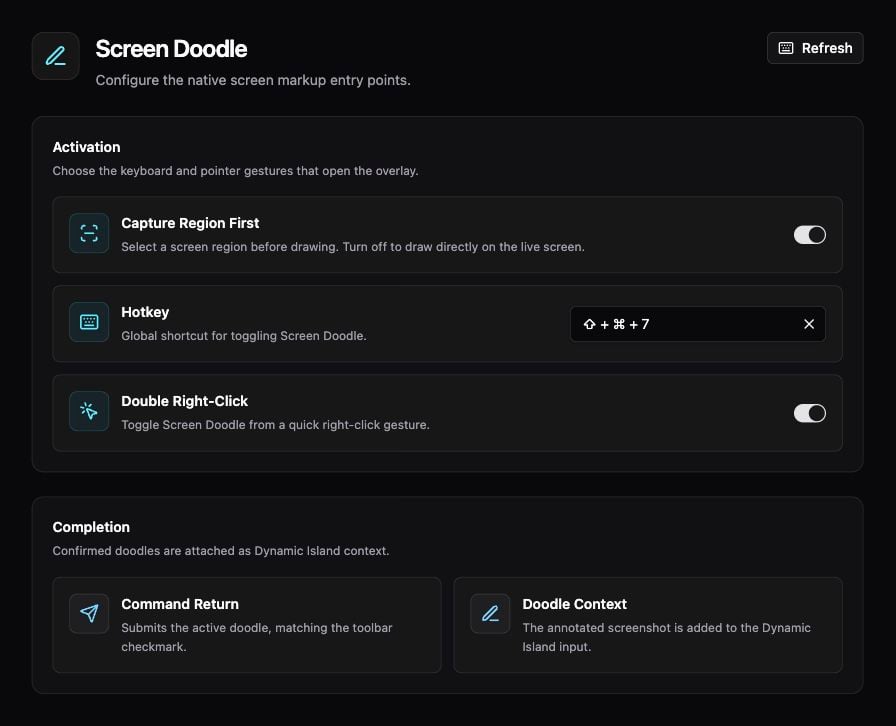
Screen Doodle activation and completion settings.
Mark up your screen
- Open Settings → Context → Screen Doodle and check the Hotkey.
- Bring the content you want to discuss to the front, then invoke Screen Doodle.
- If Capture Region First is enabled, select the region to capture. Otherwise, draw directly over the live screen.
- Use the overlay’s drawing controls to mark the relevant area.
- Click the checkmark or press Command + Return to confirm.
- In the Dynamic Island, review the attached image and type a request, such as “What does the highlighted warning mean?”
Activation settings
If the overlay does not open, check the configured shortcut and macOS permissions. If you only need the whole app window, use Appshots.
See Dynamic Island for the conversation that receives your annotation.