

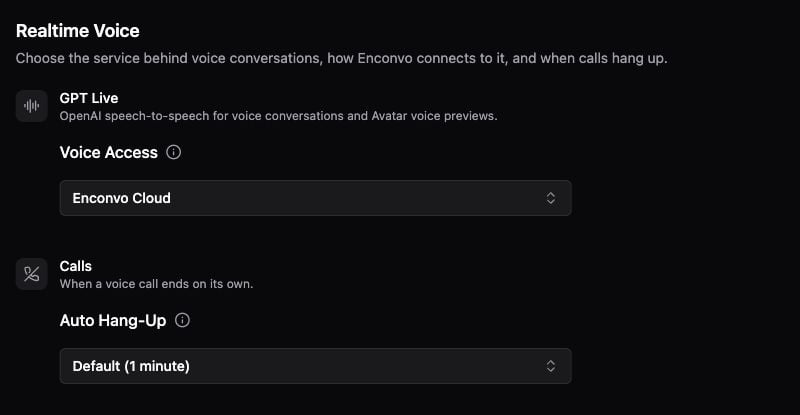
Realtime Voice access and automatic hang-up settings.
Set up voice access
- Open Settings → Agents → Realtime Voice.
- Choose Enconvo Cloud or your own provider under GPT Live → Voice Access, according to the options in your build. For access with your own key, select the OpenAI provider profile whose API key should be used.
- Confirm that Enconvo has Microphone access in macOS and select working microphone and speaker devices.
- Check the idle timeout, which controls when an unused call hangs up.
Realtime Voice access is configured separately from an Agent’s ordinary text model. A text-model subscription connection does not by itself establish GPT Live API access.
Start and end a call
- Open the Agent and conversation you want to use.
- Click the voice waveform / Live Talk control. Wait until the connection indicator shows that the microphone is ready.
- Speak a complete request. For a tool task, name the desired result and provide enough context for the Agent.
- Expand the working details to inspect tool progress or results.
- Use the microphone control to mute, or the hang-up control to end the call.
If a call does not work
- It cannot connect: check the selected voice access method and OpenAI provider profile, then read the connection error.
- The microphone is unavailable: finish an active Dictation or microphone recording session first, and check macOS Microphone access.
- The Agent cannot perform an action: review that Agent’s tools and permissions. Voice does not add tools the Agent lacks.
- The call ends while idle: review the idle timeout in Realtime Voice settings.