

Changelog
Enconvo 2.5.5 Changelog (2026-09-10)
Friends, thanks for waiting and for all your feedback along the way. I’ve spent this release making Enconvo easier to reach, more useful in your daily work, and smoother from the first voice command to the finished result.Highlights
- Dynamic Island feels faster and more capable, with a live voice HUD, immediate recording, richer attachments, and easier Default Agent switching.
- Meetings and live captions are easier to follow, with speaker recognition, word-by-word playback, live translation, and local transcription models.
- CoreML dictation runs on your Mac’s Neural Engine, with smaller downloads, lower memory use, and fast on-device speech recognition.
- Build workflows with your AI Agent, combining Enconvo features and MCP tools in a visual editor with live progress and step-by-step results.
- Projects keep related work together, bringing chats, files, and shared instructions into a single workspace.
- Knowledge Base has a new asset browser, while Quick Memory lets you save app content or voice notes with the right Shift key.
- DeepSeek V4.1 Flash is now supported through your own DeepSeek API key or Enconvo Cloud, with image understanding, a 1M-token context window, and tool use.
- Enconvo Cloud gives you more DeepSeek usage: Pro uses half the standard points and Max uses one quarter for all DeepSeek models.
Dynamic Island And Everyday Interaction
- Added a live Voice Command HUD with a waveform, transcript, and clear recording and processing states.
- Improved hotkey response so recording starts immediately and captures your first words while the panel opens.
- Added screenshots, file attachments, Screen Doodle, and automatic read-aloud controls to Dynamic Island.
- Added Default Agent switching from the agent icon in SmartBar, Chat Window, and the Dynamic Island panel.
- Fixed commands returning their results to the wrong window.
- Improved App Sidebar opening, window following, closing, and remembered width for each app.
- Added Inline Mode for applying commands directly to selected text, with a compact progress indicator and the result pasted back in place.
- Improved SmartBar input, Chinese text composition, command ordering, and PopBar behavior around window dragging and design apps.
Voice, Recording, And Live Captioning
- Added CoreML Parakeet, SenseVoice, and Paraformer dictation models with download, load, unload, and delete controls.
- Added speaker diarization and recognition to meeting recording, with word-level transcript alignment during playback.
- Added Live Captioning with realtime transcripts, speaker labels, translation, local model support, and saved history.
- Fixed Voice Command on macOS 27, Dictation post-actions, and local speech model loading.
- Improved recording sounds, volume restoration, dictation translation, and the way spoken input merges with your typed edits.
- Improved Read Aloud reliability and refreshed xAI voice selection.
Workflows, Agents, And Visual Results
- Added a visual workflow builder with step configuration, live execution status, individual step runs, and YAML editing.
- Added AI-assisted workflow creation and editing using Enconvo capabilities, MCP tools, and supported VS Code tools.
- Added the Visualize plugin for SVG, HTML previews, and interactive widgets inside chat, alongside native tables, charts, weather cards, and other generated results.
- Improved workflow cancellation and output so runs are easier to follow and stop.
- Added immediate Steer messages so you can correct an active Agent task while its tools continue running, including messages from Telegram and Discord.
- Improved long-conversation memory, model switching, prompt caching, and cancellation of stopped requests.
- Added settings to open Dynamic Island or send a system notification when a task finishes, with fewer duplicate prompts for conversations already visible.
Projects, Knowledge, And App Context
- Added Projects with shared instructions, folder-backed chats, a file browser, and Git branch controls.
- Added file and folder mentions from your current project, alongside workflow, MCP server, Finder file, Notes, and Mail context.
- Redesigned Knowledge Base with a folder tree, previews, tags, an inspector, drag-and-drop imports, and a standalone window.
- Added Quick Memory: double-tap right Shift to save the current app context, or hold right Shift to record a voice note for your knowledge base.
- Improved imports and retrieval for PDFs, images, and larger knowledge bases.
- Added app presets and site Command Packs for more direct automation, plus improved Office, Finder, Browser Use, and Computer Use support.
- Added inline attachment previews and live progress for video and audio downloads.
Models And Cloud Plans
- Expanded model choice with GPT-6 Astra, the GPT-5.6 family, Grok 4.6, Gemini 3.8 Flash, GLM-5.3-Flash, Kimi K3, MiniMax M3, and DeepSeek V4.1 Flash through their supported providers.
- Added GPT Image 2.5 Flare and Sunburst for image creation and editing, with support for API keys, Enconvo Cloud, and supported ChatGPT sign-in workflows.
- Added Google Gemini and Kie.ai video-generation options and expanded xAI voice, image, video, and search support.
- Improved custom provider model lists, fuzzy model search, and saved choices.
- Added clearer Cloud plan comparisons and upgrades, with DeepSeek usage at half the standard point rate on Pro and one quarter on Max.
- Redesigned Points Usage with clearer balances, usage breakdowns, and monthly allowance reset history.
Settings And Reliability
- Added new Skills, Plugins, MCP Servers, and Permissions management pages.
- Improved MCP setup, OAuth sign-in, credential refresh, and reconnection.
- Added account device management and clearer recovery when you reach your device limit or move to a new Mac.
- Added the Pet desktop companion with live task cards and community packs.
- Added a help menu for companion setup, release notes, and keyboard shortcuts.
- Fixed high background CPU usage, slow app switching, Dock icon hiding, and workspace preview close controls.
- Improved chat syntax highlighting, scrolling, panel transitions, and startup performance throughout the app.
Enconvo 2.5.4 Changelog (2026-06-26)
Hi friends, thanks for testing this round. Enconvo 2.5.4 is mostly about making the app feel cleaner and steadier in daily use: Dynamic Island is easier to control, Sidebar handoff is quicker, chat rendering is smoother, analytics are more privacy-conscious, and the macOS app package is lighter.Highlights
- Dynamic Island is easier to control with a new menu bar toggle, more reliable hover activation, better keyboard handling, and an optional notch exclusion setting.
- Ask Sidebar is now available from selected text or file context, so you can send content into Enconvo from Finder or other right-click workflows.
- Chat answers and long conversations feel cleaner with better answer formatting and improved message list rendering for longer histories.
- Analytics are more privacy-conscious with consistent signed-in user identity and filtering for sensitive values such as API keys, passwords, and tokens.
- The macOS app package is lighter after removing unused Swift packages and dead UI helper code.
- OpenRouter Claude reasoning options are clearer for newer Opus and Sonnet model families.
Dynamic Island
- Added an Enable or Disable Dynamic Island item to the menu bar menu.
- Improved Dynamic Island event handling to match SmartBar behavior more closely, including Escape, Cmd+W, Cmd+N, and Return key flows.
- Replaced raw event monitors with stack-based hotkey monitors for more reliable open and close cycles.
- Fixed repeated compact hover entries sometimes failing to open.
- Hover validation now respects the padded hover target, so activation is less fragile around the visible pill.
- Added an optional Exclude Notch Area setting. When enabled, hover inside the physical notch area will not trigger Dynamic Island, while hover below or beside the notch still works.
- Removed streaming text preview from compact and expanded Dynamic Island modes when agent auto-read is active.
Chat And Sidebar
- Added the Ask Sidebar command for sending selected text or file context into the app sidebar.
- Registered Ask Sidebar as a Finder service and general right-click action.
- Chat With AI now avoids fenced code blocks unless you ask for code, commands, structured data, logs, or exact copyable text.
- Formula-style answers now stay in normal prose or Markdown math instead of code-style boxes.
- Improved long chat rendering by stabilizing Streamdown props and using content visibility for off-screen cached messages.
Privacy And App Package
- Signed-in users are identified more consistently across the Mac app, Node.js runtime, and web settings app.
- Sensitive values such as API keys, passwords, and tokens are filtered before analytics events are sent.
- Event names are clearer for command runs, panels, providers, settings, login/logout, and feature flags.
- Removed unused Swift packages including OpenAISwift, ActivityIndicatorView, SwiftUIPager, OpenAI by MacPaw, Blackbird, GoogleSignIn, GoogleSignInSwift, MenuBarExtraAccess, MSDisplayLink, SpringInterpolation, and Splash.
- Deleted unused WindowAnimation helpers and cleaned dead Swift imports in views and services.
Models And Providers
- OpenRouter Claude Opus and Sonnet model ids now match reasoning effort profiles by model family and version, even when naming order or separators vary.
- Opus 4.7 and 4.8 now show adaptive Low, Medium, High, X-High, and Max effort choices instead of legacy token-budget choices.
- Other Claude fallback models, including Sonnet 4.5 and latest aliases, now use the simpler Low, Medium, High, and Max effort list.
Enconvo 2.5.3 Changelog (2026-06-25)
Friends, thanks for waiting. This release took longer than usual because I spent time polishing the whole app experience: Dynamic Island, Chat Window, SmartBar, Computer Use, and more model and media tools should all feel smoother in daily use.Highlights
- Dynamic Island is more capable with voice command input, smoother session reuse, better hover behavior, cleaner model picking, app-context screenshots, and more reliable handoff back into chat.
- Voice input is easier to use in the places where quick capture matters, including Chat Window and Dynamic Island workflows.
- Chat Window and SmartBar feel more refined across long conversations, history navigation, model selection, mentions, paste behavior, and follow-up prompts.
- Computer Use and Browser Use are more dependable for clicks, drags, scrolling, file picking, app targeting, and browser tab control.
- Knowledge, context, and search are easier to navigate with better Knowledge Base access, clearer context actions, and improved app, website, plugin, and window mentions.
- More models and media tools are available, including Claude Opus 4.8, GLM-5.2, MiniMax M3, Soniox v5, xAI Imagine, xAI speech-to-text, and GPT Image 2 through OpenAI OAuth.
Dynamic Island And Voice
- Added voice command input for Dynamic Island so you can capture an idea or ask for help without switching into the full chat window.
- Improved Dynamic Island session reuse, hover behavior, model picker behavior, handoff state, and app-context screenshots.
- Added voice input to Chat Window for a faster way to start or continue a conversation.
- Improved how conversations move between native surfaces and web chat so the same session stays consistent.
Chat Window And SmartBar
- Improved Chat Window history syncing, titlebar navigation, row actions, prompt mentions, paste routing, footer controls, and model picker spacing.
- Improved SmartBar command mentions, slash model picking, status handling, paste behavior, mention chip removal, and follow-up flow.
- Made long conversations and repeated quick actions feel steadier across both main chat surfaces.
Computer Use And Browser Use
- Improved native app control with faster app state loading, stronger app and window targeting, better action waiting, and safer background behavior.
- Improved clicking, coordinate clicking, dragging, scrolling, low-level mouse control, and native panel actions.
- Added better support for native file picker selection, app menu element indexes, clipboard access, and permission prompts.
- Improved browser automation with exact tab targeting, cross-origin iframe handling, cleaner page state output, drag-safe clicks, and clipboard proxy support.
Knowledge Base, Context, And Search
- Improved Knowledge Base navigation, access, local API behavior, and settings history navigation.
- Added a Knowledge Base context manager and clearer search context actions.
- Added Docling document loader support.
- Improved application and website mentions, local SmartBar mention icons, installed plugin mentions, and window context capture.
Models, Providers, And Media
- Added Claude Opus 4.8 Cloud Plan support.
- Added GLM-5.2 and MiniMax M3 Cloud Plan support.
- Added xAI Imagine image generation and xAI video local media upload support.
- Added xAI OAuth credentials, xAI speech-to-text, and improved Grok model visibility.
- Added OpenAI OAuth GPT Image 2 and OpenAI OAuth Transcribe support.
- Added Soniox v5 speech-to-text models.
- Improved Anthropic OAuth account info, account switching, cancel behavior, high reasoning defaults, and image fallback behavior.
Settings, Skills, And Polish
- Improved hooks configuration, manual documentation, sound notifications, and agent monitor callbacks.
- Improved Skills Manager multi-source install reliability.
- Simplified Settings sidebar labels for General and Shortcuts.
- Improved Settings layout, Knowledge Base settings navigation, provider rows, and reset behavior.
- Improved PopBar row density, keyboard dismissal, copy shortcut conflicts, App Sidebar empty states, and window exclusions.
- Fixed TTS provider voice preview selection and IM channel launch lock recovery.
- Improved tool-result compaction, multimodal tool results, agent prompt cleanup, thinking message behavior, and chat stream rendering.
Enconvo 2.5.2 Changelog (2026-06-20)
Enconvo 2.5.2 focuses on a smoother everyday chat experience, clearer update prompts, stronger voice input, more reliable Computer Use, and broader model and provider support.Highlights
- Chat Window and SmartBar are more polished, more responsive, and easier to use across long conversations.
- New update indicators can appear directly in Chat Window and SmartBar when a new Production or Beta version is available.
- Voice input is now available in more places, including Chat Window and Dynamic Island voice commands.
- Computer Use and Browser Use are more reliable for clicking, dragging, scrolling, file picking, tab targeting, and native app control.
- Knowledge Base context, settings, and search flows are easier to navigate.
- More providers and models are available, including Claude Opus 4.8, GLM-5.2, MiniMax M3, Soniox v5, xAI Imagine, xAI speech-to-text, and GPT Image 2 through OpenAI OAuth.
Chat Window And SmartBar
- Added voice input to the Chat Window prompt, so you can dictate directly where you already type.
- Added an Update button in both Chat Window and SmartBar when Enconvo detects a new version.
- Improved Chat Window history syncing, titlebar navigation, row actions, prompt mentions, paste routing, footer controls, and model picker spacing.
- Refined message readability, text selection, realtime assistant history, and table rendering in chat messages.
- Improved SmartBar status handling, command mention routing, slash model picking, paste behavior, mention chip removal, and follow-up flow.
Update Experience
- Simplified update channels to Production and Beta.
- Beta releases now publish to the matching Beta distribution path and appcast, so users on the Beta channel can detect the correct update.
- Update checks now run when Chat Window or SmartBar is shown, with a 10-minute throttle to avoid repeated background checks.
- Automatic update downloads are off by default.
Voice, Dictation, And Dynamic Island
- Added Dynamic Island voice command input.
- Improved voice command session reuse, so follow-up voice commands feel more continuous.
- Added xAI speech-to-text provider support.
- Added OpenAI OAuth Transcribe support.
- Added Soniox v5 speech-to-text models.
Computer Use And Browser Use
- Improved native app control with faster app state loading, stronger app and window targeting, better action waiting, and safer background behavior.
- Improved clicking, coordinate clicking, dragging, scrolling, low-level mouse control, and native panel actions.
- Added better support for native file picker selection, app menu element indexes, clipboard access, and permission authorization prompts.
- Improved browser automation with exact tab targeting, cross-origin iframe handling, cleaner page state output, better readable snapshots, drag-safe clicks, and clipboard proxy support.
Knowledge Base, Context, And Search
- Improved Knowledge Base navigation, access, local API behavior, and settings history navigation.
- Added a Knowledge Base context manager and clearer search context actions.
- Added Docling document loader support.
- Improved hierarchical local API schema lookup and API schema explorer runtime paths.
Models, Providers, And Media Generation
- Added Claude Opus 4.8 Cloud Plan support.
- Added GLM-5.2 and MiniMax M3 Cloud Plan support.
- Added xAI Imagine image generation and provider feature APIs.
- Added xAI video local media upload support.
- Added xAI OAuth credentials, Grok 4.3 model filtering, and improved xAI model visibility.
- Added OpenAI OAuth GPT Image 2 support and improved OpenAI OAuth credential sync and LLM stability.
- Improved Anthropic OAuth account info, account switching, cancel behavior, high reasoning defaults, and image base64 fallback behavior.
Workflows, Hooks, And Developer Tools
- Added a Workflow YAML management editor.
- Added workflow reference checkout support.
- Improved local API descriptions, local API common tool availability, module API schema hygiene, and inline API schemas in generated module skills.
- Added unified tagged logging across Swift, web, and Node.js flows.
- Added a logging clear button.
Capture, Translation, And Polish
- Improved screenshot translation with SSE streaming.
- Added AppShots capture sound controls and exact paired-option hotkeys.
- Improved AppShots context hotkey behavior and live screen attachment sending.
- Improved PopBar row density, keyboard dismissal, and copy shortcut conflict handling.
- Fixed TTS provider voice preview selection, IM channel launch lock recovery, post-tool thinking loading, and collapsed thinking message behavior.
Enconvo 2.5.1 Changelog (2026-05-08) 🚀
OpenClaw
- Enconvo now supports OpenClaw as an LLM provider — bring any of your OpenClaw agents into Enconvo and run them seamlessly across SmartBar, PopBar, App Sidebar, and every other Enconvo surface
Hermes
- Enconvo now supports Hermes as an LLM provider — every Hermes agent is instantly available across SmartBar, PopBar, App Sidebar, and the rest of Enconvo, so you can use them anywhere you work
File Preview
- Added File preview support — you can now preview files (images, video, audio, Markdown, PDF, and more) right inside SmartBar, beside the chat
- Action buttons on the right side stay visible while previewing
- Fixed an issue with PDF page numbers
MLX
- Local MLX models (beta) — run models on‑device for writing and translation use cases, keeping everything private and fully offline
AI Model Provider
- New provider: Xiaomi MiMo (BYOK & Cloud Plan)
TTS
- New provider: Xiaomi MiMo TTS (BYOK & Cloud Plan)
- New local TTS providers, all powered by MLX and running fully on‑device:
- Kokoro 82M — lightweight and multilingual
- Qwen TTS — multilingual with natural prosody
Dictation
- New on‑device ASR providers, powered by MLX:
- Parakeet ASR
- Whisper ASR
- New realtime / sync ASR providers (BYOK & Cloud Plan):
- Azure (realtime)
- ElevenLabs Scribe v2 (realtime / sync)
- AssemblyAI (realtime / sync)
- Soniox (realtime / sync)
- Volcengine (realtime / sync)
- Your personal Memory is now used as the dictation dictionary, improving recognition of names, jargon, and custom terms you frequently use
- Added Dictation History, with support for using dictation records as Knowledge Base context
- Smoother dictation experience in SmartBar with full realtime / sync mode support
SmartBar
- SmartBar now shows an Update button at the bottom when a new version is available
- Explain follow‑up — keep the conversation going naturally after an explanation
- “Use as context” is now the first action when you use
@ - Improved paste image flow and refined screenshot logic for a smoother experience
- You can now delete queued messages while an agent is still running
- Context is now automatically compacted to keep long conversations responsive
- Fixed an issue with
@mention switching
Chat Window
- Message history search lets you quickly find past conversations in the chat window
- Fixed table rendering issues in chat messages
- Fixed: model selection not being applied correctly
- Fixed: model selector dismissing unexpectedly
- Fixed a history switching issue
- Added a Show in Finder icon for delivered files
Settings
- Optimized the shortcut settings page for a smoother configuration experience
Knowledge Base
- Local embeddings — embeddings now run on‑device, so your knowledge base data never leaves your machine
- Knowledge Base entries can now be referenced directly with
@context mentions - Knowledge Base search now accepts
query: string[], enabling multi‑query searches in a single call
IM Channels
- Fixed: IM channels no longer disconnect when an error occurs
- Added a verbose mode — streams the agent’s step‑by‑step execution details directly into your IM channel, so you can follow exactly what the agent is doing in real time
Web Search
- New web search provider: Brave Search
Analytics
- Integrated PostHog as the analytics platform — you can opt out at any time from Settings → About
New Logo
- Enconvo has a fresh new look — meet the refreshed app logo
Bug Fixes
- Fixed context handling when returning from another view
- Improved explain context handling
- Fixed links being blocked unexpectedly
- Fixed paste issues in WeChat
- Fixed an issue with the mail notification sound
- Fixed lost context messages
- Fixed an incorrect session directory being used
- Fixed a livescreen image issue
Enconvo 2.5.0 Changelog (2026-04-28) 🚀
SmartBar
- Resizable SmartBar window — position and size are persisted independently for Command List mode and Chat mode
- New SmartBar suggestion panel
- Dynamic Context: agents now read a live overview of your foreground context and pull in specific items only when needed (for example, ask about the current page directly in your open browser without manually attaching context or opening the App SideBar)
- Smoother task switching with optimized switch logic
- Ask AI: select text inside a SmartBar response and use it as context for follow-up questions
- SmartBar list: menu opens on both click and right-click; added a search box for quickly filtering options
- Pending messages — append new messages while the agent is still running; they are queued and consumed automatically
Dictation
- Refreshed Dictation UI/UX
- Added Qwen ASR support (local, MLX-powered)
- New setting: toggle the start/stop sound effect when dictation is activated
- New setting: toggle whether system audio is muted while dictation is active
- Optimized post-dictation actions — defaults now include Polish and Translate
- New shortcut mode: “Hold or Toggle”, default shortcut is
Right Command(hold for push-to-talk, tap to toggle) - AI-powered voice input dictionary for improved recognition of names, jargon, and custom terms
Agent
- New Voice Trigger feature — use
Right Optionto trigger voice input directly to the agent - Improved session management
- Optimized context-compression logic
Cron Scheduling
- Cron-scheduled execution for agents — let agents run tasks on a schedule
- Cron logs UI with fixed-height dialog and syntax-highlighted JSON detail view
- Manage cron schedules from both the UI and the API
IM Channels
- Unified IM Channels module supporting Discord and Telegram
- In-channel bot commands:
/new,/stop,/voice,/status,/audio - Access control: pairing-based system with approve/deny notifications
Skills Support
- Skills Store with curated skills (PPT, DOCX, Excel, Obsidian, photo dedup, and more)
- Use skills with the
/slash command - Custom skills directories — pick your own folders or symlinked directories
Knowledge Base
- Reindex ability — rebuild the knowledge base on demand from the UI
- Added xlsx support for knowledge base ingestion
- Audio/video transcription supported in the file loader
- Indexing errors are surfaced in the UI
Memory
- New Memory management UI
- Optimized memory use logic with smarter retrieval and compression strategies
Recording
- Standalone, draggable recording bar with per-screen position persistence
API System
- Expose Enconvo abilities through HTTP API — call Enconvo capabilities from external apps
- Base URL:
http://localhost:54535/ - Example:
Enconvo CLI
- Expose Enconvo abilities through a command-line interface
enconvo -hshows the help message
Computer Use
- New
computer-useextension for native macOS control
TTS Improvements
- New providers: xAI TTS, Edge TTS (free), Gemini 3.1 Flash TTS
- New Read Aloud UI/UX: horizontal bar with a live waveform and loading state
AI Model Provider
- New providers: MiniMax, Z.AI (Anthropic-compatible)
- Claude Opus 4.7 (Cloud Plan, Subscription, BYOK)
- Kimi 2.6 / Moonshot updates (Cloud Plan, BYOK)
- DeepSeek V4 Flash and V4 Pro (BYOK and Enconvo Cloud routing)
Image Create
- gpt-image-2 model support (Cloud Plan & BYOK)
Web Fetch
- When fetching x.com, requests are redirected to the Enconvo fetch provider (jina.ai, free tier)
Extensions Improvements
apple-apps-and-servicesconsolidates all macOS app integrations: Mail, Notes, Calendar, Reminders, Contacts, Messages, and Maps. Replaces the legacyapple_mailandapple_remindersextensionsmedia-utils(renamed fromvideo_utils) absorbsaudio_utilsand adds online video download (YouTube, TikTok, Instagram, etc.) plus audio compress and transcript APIsbashutil uses RTK to reduce LLM token consumption by 60–90% on common dev commandsread_filetool now reads images, audio, and videoimage-utilsreplaces bundled binaries with auto-download from GitHub Releases- New standalone
configmodule (split out ofenconvo) withget/set/preferencesendpoints, auto-resolvedstoreType, and password auto-encryption - New
ai-commandextension with migration path from the legacycustom_bot(preserves message history)
UI/UX Improvements
- Refreshed tool-call display
- Tools like
write_filenow stream their text content live - Workspace sidebar — quick access to the working directory and deliverables
- Customizable command icons
- Smoother agent flow
- Command settings now jump to a unified settings page
PopBar
- Ask AI integration in PopBar
Other Improvements
read_filecan read image content- Prompts can reference settings parameters
- Screenshot explanation: clears prior conversation history and no longer auto-copies by default
- Anthropic SDK linked locally with a fork; added
jsonrepairfor robust streaming parses - App shutdown: SIGTERM is sent to Python subprocess groups on app termination
Bug Fixes
- Fixed up/down/enter behavior in settings input fields
- Fixed Ollama cloud model issues
- Fixed shortcut handling for menus
- Fixed
pasteInso keyboard events target the last frontmost app - Fixed reasoning component flicker when content is empty or whitespace
Enconvo 2.2.23 Changelog (2026-02-08) 🚀
Enconvo in Excel
- Read and edit Excel files directly in the app sidebar, with real-time updates to the currently open Excel file
- Recommended to use Anthropic Claude series models
Claude Opus 4.6 is now live on Enconvo
💡 You can use the new model in the following ways:- Enconvo Cloud Plan
- Your Claude Pro/Max subscription
- Your own API key
GPT-5.3 Codex is now live on Enconvo
💡 You can use the new model in the following ways:- Your OpenAI subscription
Meeting/Lectures Recording
- Added meeting recording functionality
- Entry points available in Companion Orb and menu bar
- Records history accessible in Settings
- Can ask questions about recordings
- @Recordings (Meetings/Lectures) allows chatting with all meeting records
- Button to generate meeting summaries (readable version of recording)
- Regenerate transcript support
- Redesigned recording bar to vertical layout
- New transcription model selection UI
Knowledge Base / Memoimization
- Data structuring improvements
- UI logic adjustments
- Batch deletion support
- View detail content
- Note/text types are now editable
- PDF loader defaults to Mistral OCR (supports image recognition, improved content quality)
Ask AI on PopBar
- Select text as context and chat with Mavis in the Smartbar conversation window
Dictation Models UI/UX Optimization
- More intuitive selection and configuration of STT models
Nvidia Parakeet V3
- Added speech recognition model with multi-language support
Hotkey Enhancements
- Support for right-side Command, Option, and Shift keys
- Support for F1–F20 keys in normal mode
- Support for Single Click mode (single-click Command, Option, etc.)
Optimizations
-
Chat Window UI/UX Improvements:
- Search chats history
- Rename chat
- optimize delete chat functionality
- Chats now grouped and displayed by date for easier history browsing
-
Optimized Markdown Rendering Performance:
- Enhanced markdown rendering efficiency reduce CPU usage
- Full LaTeX formula rendering support
- Code block syntax highlighting support
- Optimized dictation speed and stability
- Sidebar and App Sidebar close behavior now properly resizes application windows
- Improved markdown rendering performance for large text blocks
- Markdown code syntax highlighting
- Sidebar icon improvements (less intrusive)
- Select Area Screenshot now defaults to Mavis bot instead of image compression bot
- rename mini smart bar to companion orb
Bug Fixes
- Fixed Companion Orb positioning issues
- Fixed Smartbar layout issues (1470×956)
- Fixed “Open link in response” issue
- Fixed text highlighting issues
- Fixed messages auto-scrolling to top
- Fixed intermittent message sending failures
- Fixed AI Edit interface display abnormalities
- Fixed Notion MCP installation failure
- Fixed Screenshot Explain/Translation settings page scrolling issue where bottom settings were inaccessible
- Fixed App Sidebar icon not appearing after opening Finder
SKILLs Feature Coming Soon!
Enconvo 2.2.22 Changelog (2025-11-29) 🚀
New Features
- Model Management: Set model properties, delete models, and add custom models
Optimizations
- Optimized credential duplication
- Optimized provider duplication
Bug Fixes
- Improved French language support for getting selected text
- Extension store pagination
- Fixed Nano banana thought_signature issue
- Fixed SwiftData-related crashes
- Fixed LazyVStack crash in SmartBarView
- Fixed issue where eM Client couldn’t get selected text
- Fixed AI Edit not getting selected text
- Fixed OpenRouter image generation issue
- Fixed Google account re-authorization issue
- Fixed issue where dropping multiple files from Finder to Smartbar would replace previous files instead of combining them
- Fixed JPG file extension image compatibility
- Fixed Chat Window position and size not saving properly
- Fixed disable app sidebar setting not taking effect
- Fixed Companion Orb visibility and positioning issues
- Fixed SwiftUI-related startup errors
- Fixed issue where launching Companion Orb to Smartbar carried message history
2.2.21 (2025-11-25)
Claude Opus 4.5 is now live on EnConvo
You can use the new model in the following ways:- EnConvo Cloud Plan
- Your Claude Pro/Max subscription
- Your own API key
New System Toggle Tools
- Toggle System Appearance
- Toggle Full Screen
- Toggle Mute
- Toggle Hidden Files
OpenAI OAuth Additional Models
gpt-5.1gpt-5-codexgpt-5.1-codexgpt-5.1-codex-maxgpt-5.1-codex-mini
Bug Fixes
- Fixed UI issue with extension update button
- Fixed issue where user messages sometimes rendered incorrectly
2.2.20 (2025-11-23)
Optimizations
- Chat Window issue fixes and performance improvements
- New Chat / Switch Chat logic optimizations and performance improvements
- Writing Tools now support using the language set in Profile, with multiple language variants (US English, UK English, etc.)
- MiniSmartbar adds screenshot translation
- Smartbar/Small Smartbar are unpinned by default
Bug Fixes
- Fixed issue where clicking elsewhere would trigger the app side bar hint icon menu
- Fixed “App Sidebar icon hide for all” issue
2.2.19 (2025-11-22)
Memory Support
- Add to EnConvo Memory (via right-click menu and dedicated command)
- Use “Add to Memory” in PopBar to quickly add content to EnConvo Memory
- Memory management is available in the Settings page
New Features
- Support for Nano Banana Pro (gemini-3-pro-image-preview)
- Added region-specific language options (American English vs British English)
- Add to EnConvo Knowledge Base (via right-click menu and dedicated command)
- Add “Add to Knowledge Base” to the PopBar
Optimizations
- No AI response needed when using the Knowledge Base tool
Bug Fixes
- Performance issues (especially when using EnConvo in Mail)
- Fixed repeated appearances of the shell runner popup
- Fixed the settings page freezing issue
- Fixed sound when dragging in mail.app on OS26
- Fixed incomplete reading of app content in Safari adaptation
2.2.18 (2025-11-08)
New Features
- Jinja2 syntax is now supported in Prompts
- Quickly select commands in the SmartBar by holding down Command and pressing number keys 1–10
Improvements
- Optimized when the App Sidebar Handle icon is displayed
- Added an App Sidebar toggle and hide option in the right-click menu of the MenuBar and SideBar icons
- Straico now supports image input
- App window content will now include the URL if available
- The SmartBar can now be reset to the global model
- Added a new variable:
history_messages
Bug Fixes
- Resolved the issue where the input cursor would automatically jump to the end of a sentence
- Shortened the prompt asking for shell execution permissions
- Improved compatibility for chat window light mode
- Fixed repeated Bun installation issues
2.2.17 (2025-11-04)
Context Optimization
- Support obtaining the content of application windows as context
- Improved interaction settings
- Support selecting available contexts with the
#character when inputting text - You can use
@to specify which tool to use when you input text
Global Sidebar Panel
- A new always-on-top sidebar panel opens on the right side
- The SideBar supports invoking features with
@,#, and> - Default shortcut:
Shift + Command + U
Application Sidebar Panel
- Launches an always-on-top sidebar panel on the right within the current application
- Automatically switches to the Bot dedicated to the current Application (such as Finder)
- SideBar supports invoking features with
@,#, and> - Default shortcut:
Shift + Command + T
Multitasking
- Multiple tasks can now run simultaneously in the background
- Create a new session with
Command + N - Switch between different tasks by inputting
>
Voice Command
- Run a voice command to trigger voice input
- You can specify Window Mode to choose whether the command runs in the Smart Bar or Side Bar
- Set a Default Command to decide which Bot should handle your input after voice transcription
- Default shortcut:
Shift + Command + A
My Profile Settings
- You can set your personal description as context to provide to the AI Model
- You can set a global reply language
- Location: Settings > Account > My Profile
Variables (Dynamic Parameters)
- When editing prompts, you can specify dynamic Variables
- Supported Variables are viewable under Settings > Extensions > Variables
- While editing a prompt, activate the Variables list by typing
{{(double curly brace + space)
Custom Bot Creation Optimization
- Improved workflow for creating Custom Bots
- Support for
Duplicate Command: Create a new command based on an existing one - Set reply language independently
- Option to use
My Profileor not
Application Support
- Search all installed applications from the SmartBar and press Enter to open
- Every application is an Agent. Use
@to begin a conversation with an application
Screenshot Explain
- Support for taking a screenshot first, then running Explain on it
2.2.16 (2025-09-26)
New Features
- Added Finder right click menu: Add to EnConvo
SmartBar
- Can configure Knowledge base used by Bot on SmartBar
- Support directly enable “Create Video” on the smart bar
Video Generation Provider Added
- Added
Kling Video v2.5 Turbo Provideo generation model - Added
Wan 2.5 Previewvideo generation model
Apple Shortcuts
- Added
Apple Shortcutssupport, usable in Workflow, Agent, PopBar, SmartBar, etc.
Workflow
- Optimized the logic of deleting edges and nodes in workflow
- Added the ability to reconnect edges in workflow
- Fixed workflow drag variable is undefined
Chat with File
- Optimized file chat (chat mode can directly chat with files)
- Added
read document type filetool to agent model (supports pdf, epub, audio, video, word, ppt documents)
New AI Model Provider
- Added
Qwen AI Model Providerwith API Key
Improvements
- Safety concern for shell runner (alert before execute sensitive commands)
- Optimized Tool Use UI/UX on SmartBar
- Support azure (Microsoft speech) as a provider for live closed captions
Bug Fixes
- Optimized token acquisition for Live Closed Captions
- Fixed screen shot translate bug
- Fixed ollama embedding model not showing up bug
- Optimized message structure (solve the problem of tool use in claude thinking mode)
2.2.15 (2025-09-11)
Web Search Enhancements
- Gemini Search - Use Google Gemini for web search with 2000 free requests per day
- Search UI/UX Optimization - Quickly specify the AI search provider on SmartBar
- Anthropic Built-in Search - Support for Anthropic’s built-in web search tool
- OpenAI Built-in Search - Support for OpenAI’s built-in web search tool
Image Generation Enhancements
- Image Generation UI/UX Optimization - Quickly specify the image generation provider on SmartBar
- Added fal.ai provider - Support for Seedream 4.0
OCR Enhancements
- AI Model OCR Provider - Choose to use AI models for OCR, supporting all vision models
Improvements
- GPT-5-codex - Use GPT-5-codex for code-related tasks (requires OpenAI OAuth)
- Browser Tab Context - Vivaldi, Wavebox, and other Chromium-based browsers now support getting current tab context
Bug Fixes
- Fixed Screenshot OCR issues
- Optimized Claude authorization
- Improved Qwen OAuth
- Fixed issue where SmartBar opened from PopBar had no actions
2.2.14 (2025-09-11)
Workflow Enhancements
- If Node - Workflows now support conditional logic with If flow control nodes
- Loop-Items Node - Workflows now support looping through a list of items
- File Change Trigger - Added file change monitoring capability to workflows
- Structure Output - Workflow nodes now support structured output format
- Auto Compress Downloads Images - Monitor newly added image files in the download directory and automatically compress them
New Features
- Qwen OAuth Integration - 2,000 free requests per day with no token limits
- Azure Image Generation Support - Added support for Azure OpenAI image generation
- Quit Confirmation - Added Command+Q prompt notification in SmartBar
UI/UX Improvements
- File Settings Item View - Optimized the File Settings Item View interface
Bug Fixes
- Fixed display chaos issues on low-resolution screens
- Fixed Facebook Messenger multiple message copying issue
- Fixed Azure OpenAI error reporting
- Fixed Google Gemini tool use issue
- Fixed input field crash issue
2.2.13 (2025-09-05)
Workflow Enhancements
- Share Workflows via File - Export workflows as JSON files and share them with other users
- Publish Workflows to Extension Store - You can now publish your workflows to the Extension Store
New Workflow Templates
- Sync to Apple Notes - Sync content to Apple Notes
- Nano Banana + Hailuo Video Generation - Workflow based on Nano Banana and Hailuo Video Generation
fal.ai Supports EnConvo Cloud
- Hailuo 02 Standard/Pro Text-to-Video (Free: 5 uses per 24 hours)
- Hailuo 02 Standard/Pro Image-to-Video (Free: 5 uses per 24 hours)
- Veo3 Fast/Standard and Image-to-Video
- Seedance V1 Lite Text-to-Video
Optimized Features
- Edit Command Description - Edit command descriptions for better Agent utilization
Bug Fixes
- Fixed issue where workflow links sometimes become invalid
- Disabled commands/bots are showing up
2.2.11 (2025-08-28)
New Features
- ChatGPT Plus/Pro in EnConvo - Use your ChatGPT Plus/Pro subscription in EnConvo, no API key needed
New Models
- Nano Banana (Gemini 2.5 Flash Image) - Google DeepMind’s Gemini 2.5 Flash model with image generation and editing capabilities
Optimized Features
- Image Compression - Images are now compressed before being sent to models
- Node Performance Optimization - Automatically clean up idle workers
- Youtube Downloader Update - Upgraded yt-dlp to version 2025.08.22
Bug Fixes
- Fixed incorrect path handling issue in video compression
- Fixed Terminal.app not syncing issue
- Fixed AI model global display issue
2.2.10 (2025-08-19)
New Features
- Claude Pro/Max in EnConvo - Use your Claude Pro/Max subscription in EnConvo, no API key needed
Optimized Features
- Thinking Effort - Quickly configure the model’s deep thinking capability (Command + E)
- MCP OAuth - Use MCP services that support OAuth, such as Notion (Official)
New Free Services
- Voyage-3.5-lite (embedding) - Powerful multilingual embedding capabilities for free
UI/UX Improvements
- Custom bots - Added New Bot button for quickly creating custom bots
- Model selection - Model selection is now displayed in a double-row layout
Others
- Allow uninstallation of some non-essential pre-installed Extensions
2.2.9 (2025-08-12)
UI/UX Improvements
- Model Card - Show detailed model information and parameters when hover on the model name
Optimized Features
- Global Model Provider Settings - Switch the model provider between global settings and custom settings
- Add/Edit Model - Adjust the model’s parameters based on actual attributes and preferences
New TTS Models
- MiniMax Speech 2.5 Model - Enhanced Multilingual Expressiveness Exceptional Voice
New MCP Server
- Excel MCP Server - Manipulate Excel files without needing Microsoft Excel installed
2.2.8 (2025-08-07)
Brand New Extension Store
- One-click installation - Say goodbye to tedious configuration
- Multiple Registries - Choose from EnConvo official, Smithery, or mcphub extension sources
- DXT One-Click Installation - Quickly install plugins from dxt files
- Extension Upgrade - Independent extension upgrades with one-click functionality
- Manual Installation - Support for Stdio/Http/Sse type MCP extensions
New AI Models (Limited Time Free, Ending on September 30th)
- OpenAI gpt-oss-120b, gpt-oss-20b
Link Reader Providers
- Local Fetch - (locally, free)
- Crawl4AI - (locally, free)
Website Crawler Providers
- Crawl4AI - (locally, free)
New Features
- Points Usage Log - Added points usage log page (Settings->Account->Points Usage)
Optimized Features
- MCP Server Auto-shutdown - MCP servers automatically shut down after 3 minutes of inactivity
2.2.7 (2025-07-22)
Added Speech Recognition Model
- mlx parakeet-tdt-0.6b-v2 - Faster speed and better quality, local & privacy-focused
New AI Model Provider
- 302.ai - Added 302.ai LLM provider
Optimized Features
- App Size Optimization - Reduced application size from 367MB to 224MB
- Moonshot BaseURL Support - Added support for custom BaseURL settings
Bug Fixes
- Fixed Online Video Downloader
audio onlyoption and mp4 suffix issues - Fixed MCP runtime error issues
- Fixed Summarize YouTube/Link response language setting not taking effect
- Resolved fireworks.ai error issues
2.2.6 (2025-07-18)
Knowledge Base
- Enhanced Knowledge Base UI/UX - Streamlined interface for easier management
- YouTube Video Import - Import videos with automatic subtitle extraction
- Image Import with OCR - Extract and index text content from images automatically
- Audio File Import - Convert speech to text and add to knowledge base
- Video File Import - Extract audio and convert speech to searchable text
- Single Web Page Import - Extract content from any webpage
- Whole Website Import - Crawl and import entire websites using Firecrawl
- Direct Text Addition - Quickly add custom text content
New AI Models
- Grok 4 - Added support for Grok 4 (EnConvo Cloud Plan and API key)
- Kimi K2 - Added support for Kimi K2 (EnConvo Cloud Plan and API key)
TTS
- TTS Voice Preview - Support for previewing TTS Voice sounds
New Features
- Firecrawl - Added Firecrawl as
Link Reader Provider - Website Crawl - Added
Website Crawl providersupport - Translator (Interactive) - Added
Translator (Interactive)
Optimized Features
- Summarize Url / Chat with Url - Optimized continuation conversation logic
- YouTube Video Download - Optimized download and subtitle download logic
- Chat with Youtube - Optimized logic and improved prompt
- ElevenLabs V3 - Support for ElevenLabs V3
Bug Fixes
- Fixed copy/paste compatibility for Ukrainian language
- Fixed video playback issues for downloaded videos
2.2.5 (2025-06-23)
Mini SmartBar
- Mini SmartBar now supports custom commands with Application Awareness and Browser Tab URL Awareness
Dictation
- Added Dictation
Post Actionsfeature (Fix Spelling, Translate, customized workflow) - Renamed
Voice InputtoDictation
Prompt Management
- Added
Prompt Storefor installing curated prompts - Added
Installed Promptmanagement - Added
Create new promptcommand
SmartBar
- Added
SmartBar Navigation bindings(Control+P/N or vim-like Control+J/K) - Added
SmartBar Auto clear conversation
New Commands
French Teacher: A French teacher to help users learn French
Optimized Features
Disable commandfeature: disabled commands won’t appear in SmartBarPopBarnow supports detecting current browser tab URLShortcutsettings UI/UX optimization
Bug Fixes
- Fixed issue where Dictation Bar couldn’t be closed
- Fixed issue where PopBar window position exceeded screen boundaries
- Fixed Shortcut settings invalidating existing shortcuts
- Fixed Post Action not working in PopBar
2.2.4 (2025-06-21)
PopBar (Big Update)
- Application-Awareness: PopBar can detect the current application and display different toolbars
- Built-in
Writing ToolsPopBar Instance for writing apps - Added option to automatically replace current text after tool returns result
- Optimized PopBar appearance timing and position
- Added
Open Linktool,Search Googletool - Added
PopBar disable in this applicationfeature - Added
Duplicate of PopBar Instancefeature - Added
Modifier flags actionfeature
New Commands
- Added more writing tools:
proofread,rewrite,changeToneToProfessional,makeConcise,extractKeyPoints,convertToList,convertToTable - Added
AI Editorcommand (similar to Cursor.app’sQuick Edit)
New Extension (Fal.ai)
- Generate video with Veo3
- Fal.ai text-to-video with Minimax Hailuo02 Standard/Pro
- Fal.ai generate video with Bytedance Seedance 1.0 Lite
Optimized Features
- Added custom bots management in settings
- Adjusted Mini SmartBar expansion timing
- Added
PopBarandMiniSmartBartoggles in menu bar - Added
delete commandandreset configurationfeatures - Optimized Command search UI/UX
EnConvo Cloud Plan New Models
- Claude Sonnet 4, Opus 4
- O3, O3 Mini, O4-Mini
- Gemini 2.5 Pro, Gemini 2.5 Flash, Gemini 2.5 Flash Lite Preview
Workflow
- Added
Generate Video with Veo3workflow template - Added
Text to Audioworkflow template
2.2.3 (2025-06-15)
New Features
- Configurable option for whether new chats in Chat window will be displayed in Smartbar
Optimized Features
- Optimized
Installed Extensionsmanagement page - Optimized
Explainprompt - Optimized PopBar settings page UI/UX
- New settings UI/UX for Smartbar, MiniSmartbar, ChatWindow, Langchain, Developer Tools
Bug Fixes
- Fixed
Create New botediting issue - Fixed
Google Cloud Searcherrors - Fixed chatbot name change issue
- Fixed model list refresh issue
2.2.2 (2025-06-11)
New Features
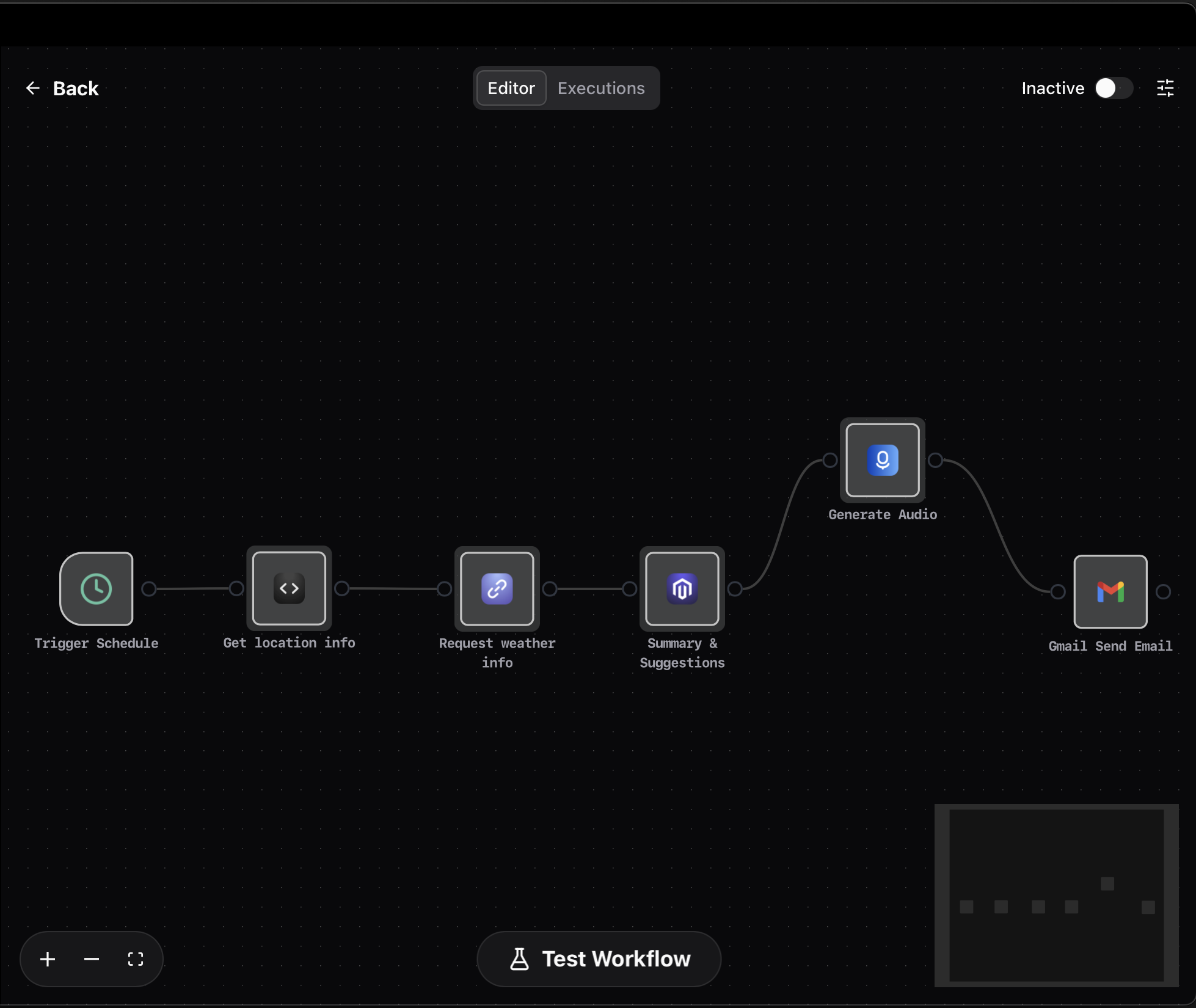
- Added scheduled trigger functionality for Workflows with cron expressions support
- Pre-built workflow template for daily weather information with TTS and email
Optimized Features
- Workflow/Agent supports Gmail attachment sending
- Ability to rename nodes in Workflows
- Optimized auto-scroll issue when outputting text in chat
Fixed Issues
- Straico AI issues fix
- Fixed Shortcuts Center display issue
- Fixed Google Gemini error issues
- Fixed clipboard-related crash issues
2.2.1 (2025-06-07)
Workflow
- Brand new visual workflow editor
- Built-in 200+ tools, native support for MCP Servers in workflows
- Smart parameters support - automatically generate tool parameters through AI
- New Workflow Templates Store
- Workflow parameter settings support jinja2 template syntax
Brand new Credentials Management
- Optimized Credentials management logic
- Support for OAuth 2.0 authentication
- Added more Provider Credentials management
New Plugins
- New Gmail with OAuth2 authorization
- New Firecrawl (including EnConvo Cloud support)
- New Gemini TTS, Gemini TTS Multi Speaker
MCP Feature Improvements
- MCP can now individually configure whether to enable specific tools
- MCP is now bound to Agent, no longer globally applied
- MCP management add/delete UI/UX improvements
Context Awareness Feature Improvements
- Support for more Context awareness (screenshots, clipboard text, etc.)
- Users can freely configure the context that each Command can perceive
Feature Improvements
- Fix Spelling&Grammar supports text highlight comparison
- Stability and performance optimizations
- Settings page UI/UX improvements
- Chat Window new session creation UI/UX improvements
- Mini smartbar automatically shrinks and hides after 1s of no operation
- Mini smartbar automatically snaps to edges
Create New BotUI/UX improvements
2.1.9 (2025-05-02)
Improvements
- Language Settings for Chat Responses - Configure the language your agent responds in
- Toggle for Mini Window - Enable or disable the Mini Window feature
- Enhanced Voice Dictation Stability - More reliable speech recognition
2.1.8 (2025-04-22)
New Features
- Introduced Mini SmartBar - A compact desktop companion with quick access to features
- Integrated Hailuo Voice as default TTS Provider (EnConvo Cloud Plan)
- New OCR Providers
- Apple Native OCR: Fast, offline, privacy-focused local processing
- Mistral OCR: Integrated solution supporting EnConvo Cloud Plan and custom API Keys
- Added new Mistral models to EnConvo Cloud Plan
- Mistral Large (300 points per message)
- Mistral Small (Free)
- Introduced EnConvo Cloud Plan for Speech-to-Text Provider
- Supporting whisper turbo, gpt-4o-transcribe, and gpt-4o-mini-transcribe
Improvements
- Startup optimization and bug fixes
- Enhanced Image Generation with Flux1.1 pro
- Added close button to Voice Input Method
- Added direct model configuration in Chat Window
- Expanded Google Gemini model support
- OCR Improved: Automatic language detection with Japanese support
- Optimized audio auto play logic
- Enhanced Speech-to-Text stability
2.1.7 (2025-04-07)
New Features
- Introduced MCP Store - Your One-Stop Shop for MCP Servers
- One-click installation for quick and easy setup
- Online access at https://app.enconvo.ai/mcp_store
- Share your favorite MCP Servers with friends via shareable links
- Added dedicated MCP configuration toggle in SmartBar
- Integrated support for gemini-2.5-pro-preview-03-25 (EnConvo Cloud Plan)
- Introduced Command + S shortcut to toggle AI search
2.1.6 (2025-03-25)
New Features
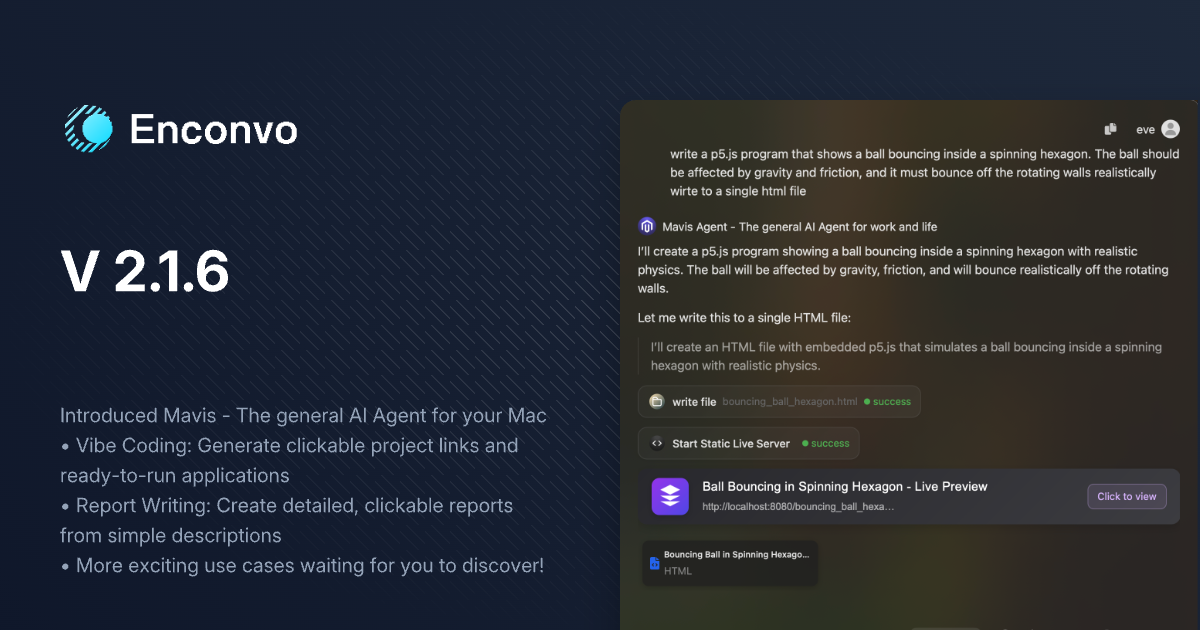
- Introduced Mavis - The general AI Agent for your Mac
- Vibe Coding: Generate clickable project links and ready-to-run applications
- Report Writing: Create detailed, clickable reports from simple descriptions
- Added multi-language UI support (German, French, Japanese, Spanish)
- Introduced
Text to Sound Effectfeature powered by ElevenLabs
Improvements
- Rewrote message list for enhanced loading and scrolling performance
- Added resolution settings for Online Video downloads
- Enhanced video downloader with browser cookie support for private content
- Improved knowledge base addition speed and stability
2.1.5 (2025-03-05)
New Features
- Added support for new Perplexity models:
r1-1776andsonar-deep-research - Added configurable result count for AI Web Search
- Added ability to hide Chat Window using the
ESCkey - Added voice playback functionality for existing responses
- Added Elevenlabs Scribe speech-to-text integration
- Added Elevenlabs TTS and Speechify TTS integration
Improvements
- Optimized Live Captions with customizable caption height
- Enhanced stability when adding large files to knowledge base
Bug Fixes
- Fixed longPress shortcut key issue with
Voice input method push
2.1.4 (2025-03-01)
New Features
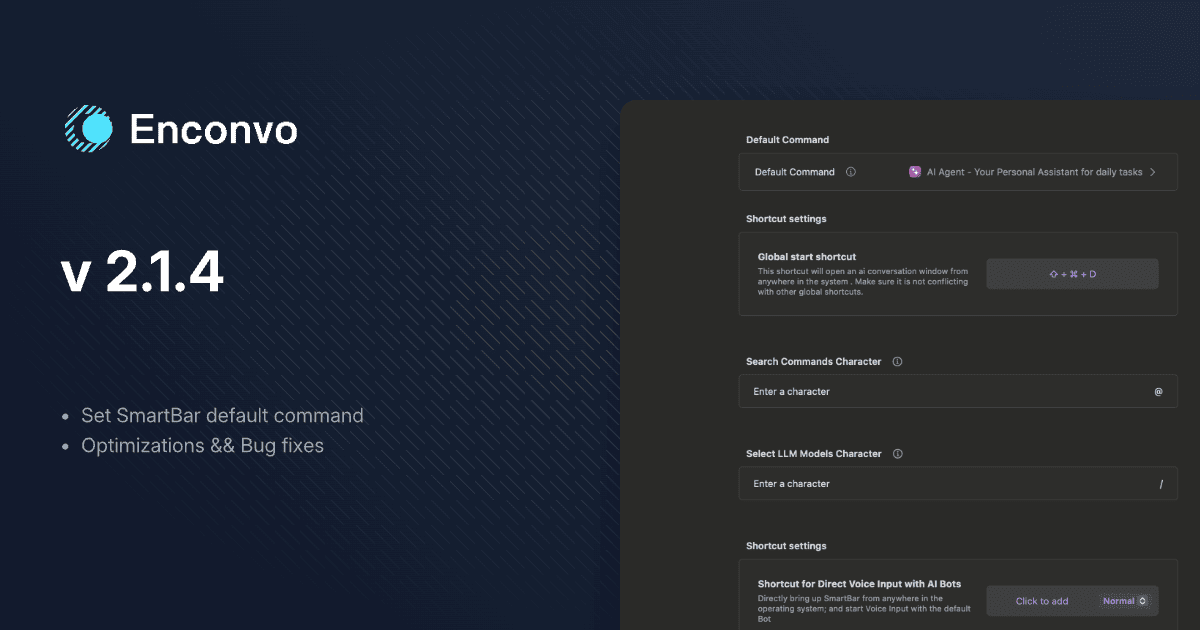
- Added SmartBar default command setting functionality
- Added
reasoning_effortparameter for LLM
Improvements
- Optimized PopBar hotkey logic to toggle display/hide mode
- Enhanced SmartBar UX logic
Bug Fixes
- Fixed issue where “New Chat” couldn’t use web browsing functionality
- Fixed SmartBar hotkey deletion not working
2.1.3 (2025-02-25)
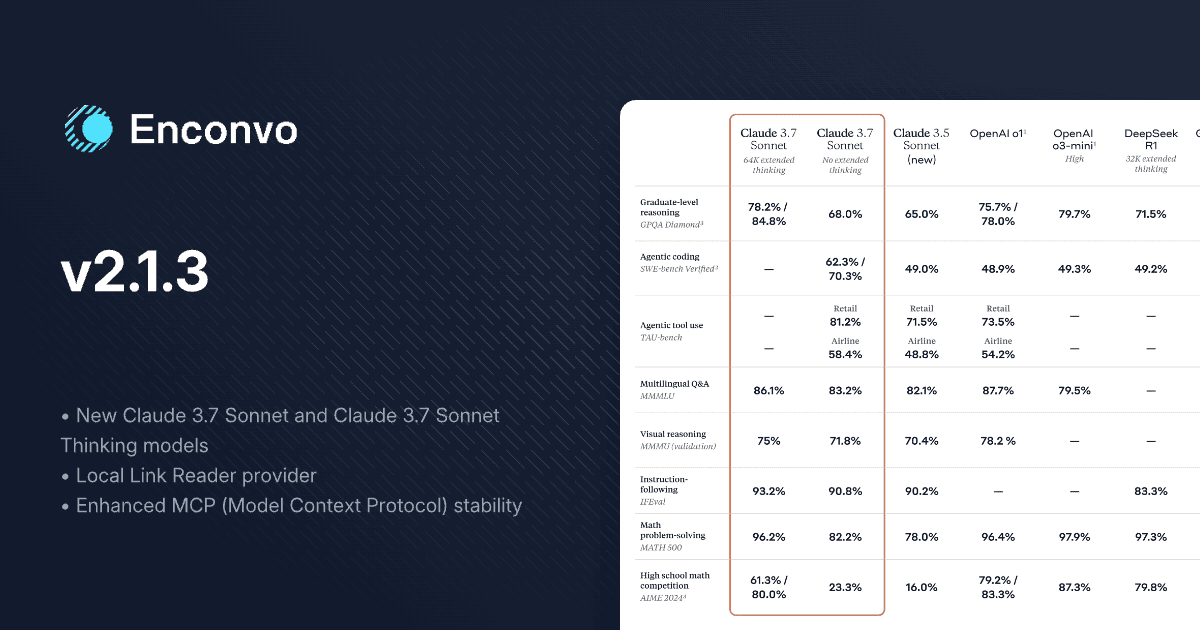
New Features
- Added support for
Claude 3.7 SonnetandClaude 3.7 Sonnet Thinkingmodels - New
Local Link Readerprovider for faster, more stable webpage content extraction - New
Read Aloud WebpageTool
Improvements
- Optimized prompts to improve agent instruction following capabilities
- Enhanced MCP (Model Context Protocol) stability
2.1.2 (2025-02-22)
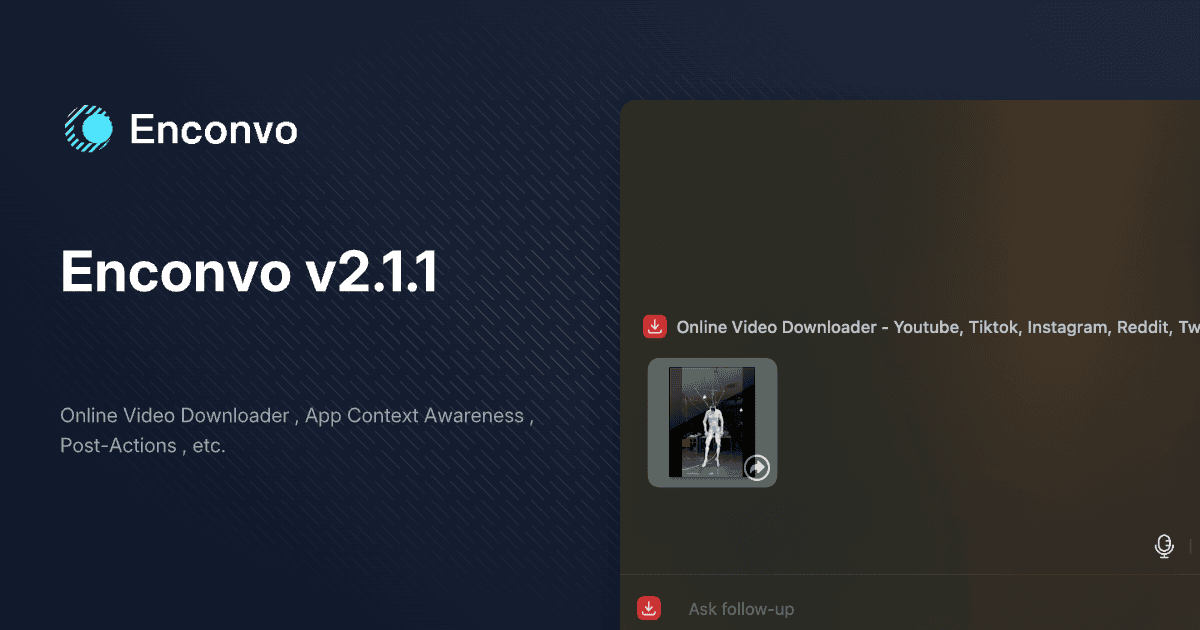
New Features
- New
Online Video Downloadertool (TikTok, YouTube, Twitter, Instagram, Reddit, Vimeo, etc.) - New
App Context Awarenessfeature - New
post-actionsettings (paste, insert, copy) - New
PopBardisplay style settings
Improvements
- Enhanced AI Web Search with source references
- Improved Chat Window’s
new chatandclear conversationslogic - Upgraded Speech-to-text Deepgram Provider with
Nova 3model support - Optimized
DeepSeek R1model speed and stability - Added support for custom Google Gemini and DeepSeek LLM Provider BaseUrl
Bug Fixes
- Fixed auto duplicate issue in Preview.app
- Fixed text input issues with Voice Input Method
- Fixed Claude image format compatibility issues
- Fixed Insert Below compatibility issues
- Fixed model display not updating after switching models
2.1.0 (2025-02-13)
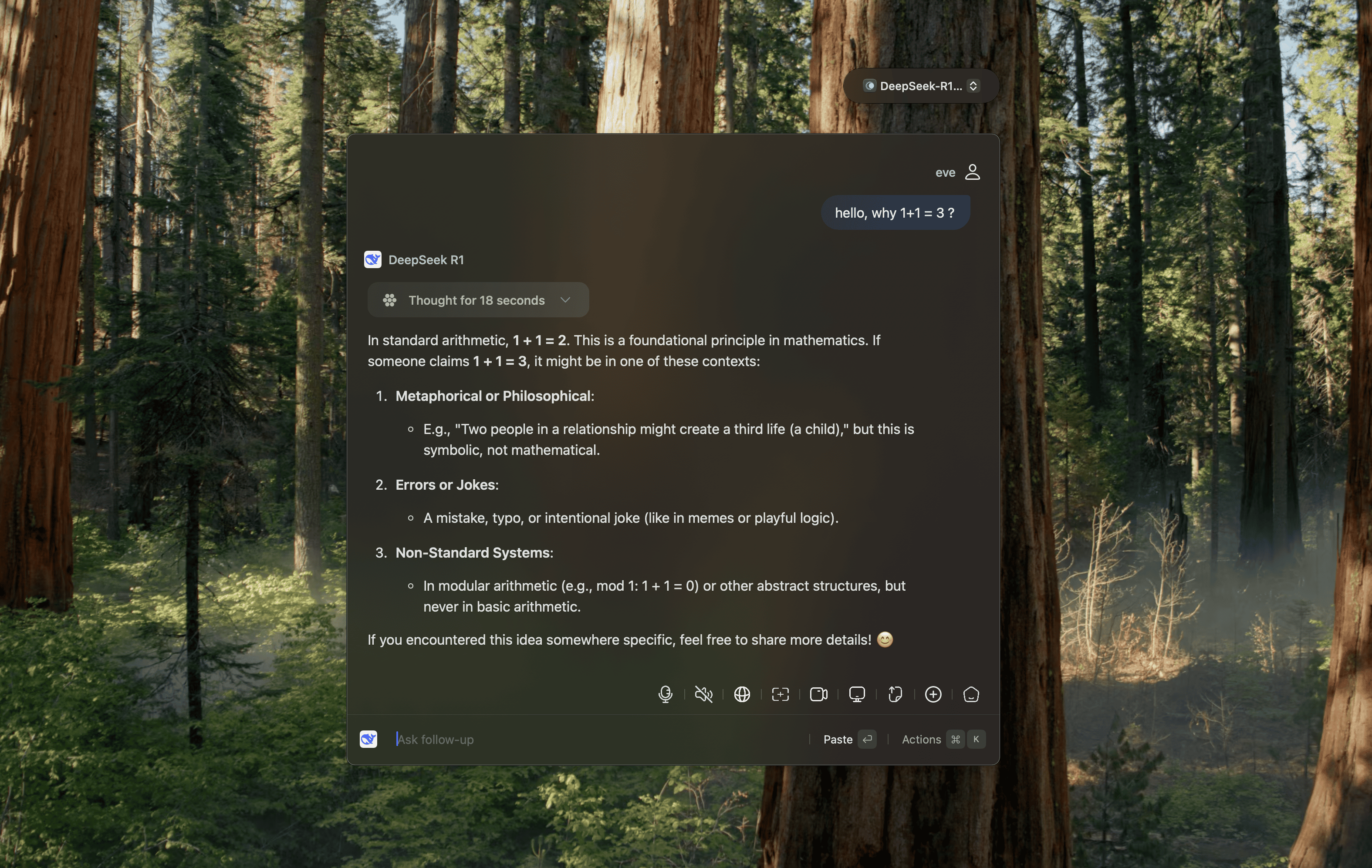
New Events
- DeepSeek R1 and DeepSeek V3 are now available for unlimited free use (2025-02-13 ~ 2025-03-13)
Improvements
- Optimized default configuration settings logic
Bug Fixes
- Fixed shortcut key settings not taking effect
- Fixed issue where models could not be selected via mouse click
2.0.9 (2025-02-11)
New Features
- Added model switching with / character
- Added Context deletion features
- Deep Research Agent now shows research process
- Added custom shortcut keys support for @ and / trigger characters
Improvements
- Improved startup stability
- Enhanced Context display
- Improved copy/paste compatibility
2.0.8 (2025-02-10)
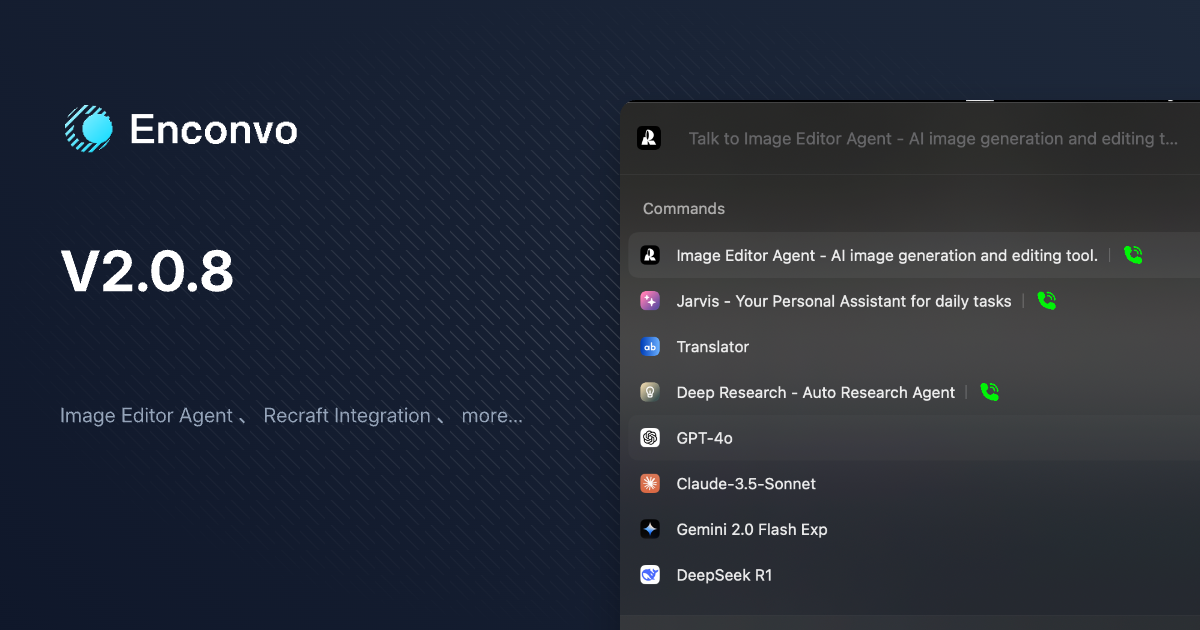
New Features
- Added Recraft integration for enhanced design workflows
- Added Image Editor Agent for advanced image manipulation
- Added New Chat functionality
- Added Duplicate Command functionality
- Recraft tools: Crisp Upscale, Generate Image, Image to Image, Vectorize Image, Creative Upscale, Remove Background, Replace Background
Bug Fixes
- Fixed Exa Websearch Provider issues
- Fixed incorrect tab detection in Safari
2.0.7 (2025-02-07)
New Features
- Added Deep Research Agent
Feature Updates
- Changed default LLM model to gpt-4o
Bug Fixes
- Fixed background crash issues
- Added multi-screen centered display support for Smart Bar
2.0.6 (2025-02-06)
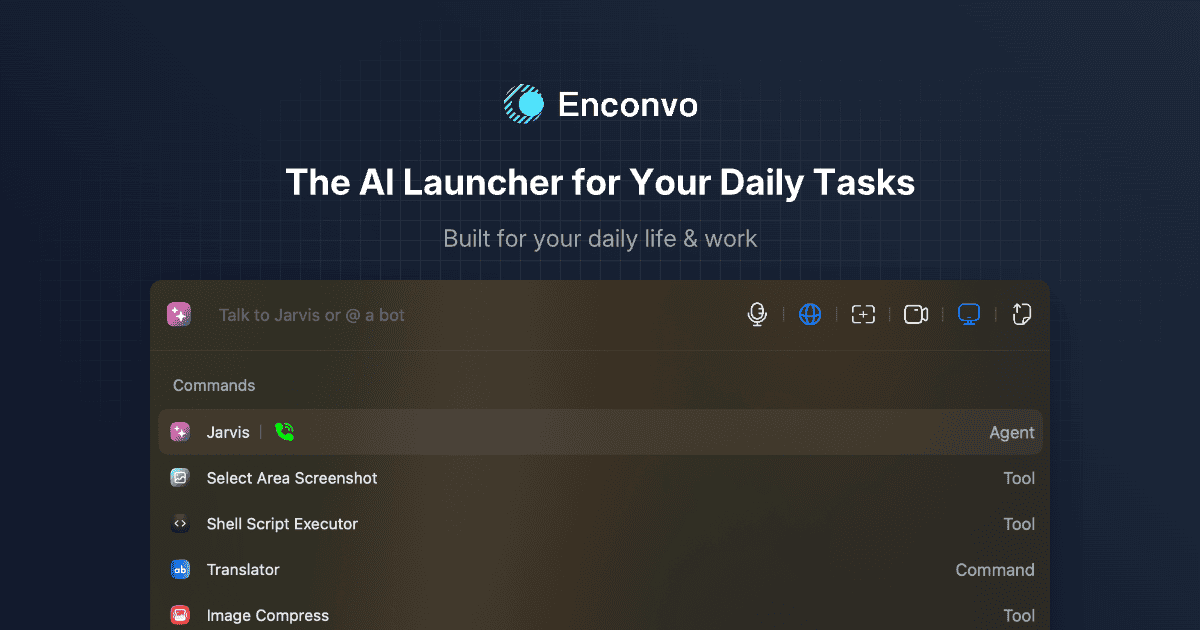
Google Gemini Updates
- Updated Gemini 2.0 Flash to stable release
- Added gemini-2.0-flash-lite model
- Added gemini-2.0-pro-exp model
Subscription Management
- Added subscription cancellation management interface
Bug Fixes
- Fixed Hailuo TTS (Chinese) related issues
- Fixed missing text issue when activating PopBar with hotkey
- Fixed Double Click hotkey configuration issue
- Fixed Voice Input Method unable to stop when connection is lost
2.0.5 (2025-02-03)
Video Downloaders
- Twitter Video Downloader: Added support for downloading Twitter videos
- YouTube Video Downloader: Added support for downloading YouTube videos
Apple Extensions Enhancements
Apple Reminders- Update reminders, Delete reminders, Toggle reminder status, Get all incomplete reminders
- Delete events, Update events, Get calendar events list
- View unread emails, Delete emails, Toggle read/unread status, View email content, Send emails
Screenshot Extension Updates
- Capture current application, Capture current screen, Manual window selection capture
AI Model Improvements
- Optimized thinking process display for Ollama R1 and other reasoning models
- Added DeepSeek R1 and DeepSeek V3 model support to EnConvo Cloud Plan
- Enhanced Jarvis prompt for improved Agent task execution capabilities
- Updated Perplexity models:
sonar,sonar-pro,sonar-reasoning
Other Updates
- Conch TTS: Split into Chinese and international servers
- LM Studio: Added model list display
- Fixed straico-related issues
2.0.4 (2025-01-24)
Agent Features
- Jarvis: Now automatically completes tasks using tools based on your needs
- Available tools include: AppleScript, Shell, Python, NodeJS, Image Generation, Apple Calendar, Apple Reminders, Image Compression, HTTP Requests, TTS, Audio/Video Transcription, Video Compression, Web Search, Link Reader, YouTube Loader, File System Operations
- Added “Create New Agent” feature
MCP (Model Context Protocol) Support
- EnConvo as MCP Client supports installation and use of any MCP Server
- MCP Settings page with real-time server status monitoring
DeepSeek r1 Model Support
- Added support for DeepSeek r1 model
- Added Thinking interaction mode
New Plugins
- Video Compress, Extract Audio, Audio Compress, Transcribe Audio/Video Files
- Python Code Runner, NodeJS Code Runner, Shell Script Executor, AppleScript Executor
- Conch TTS Support
Google LLM Provider Updates
- Updated to latest gemini-2.0-flash-thinking-exp-01-21
- Native support for audio message types
Optimizations
- Improved TTS performance
- Optimized Python environment initialization
- Added parameter display in Workflows
2.0.3 (2024-12-20)
Chat Window Enhancements
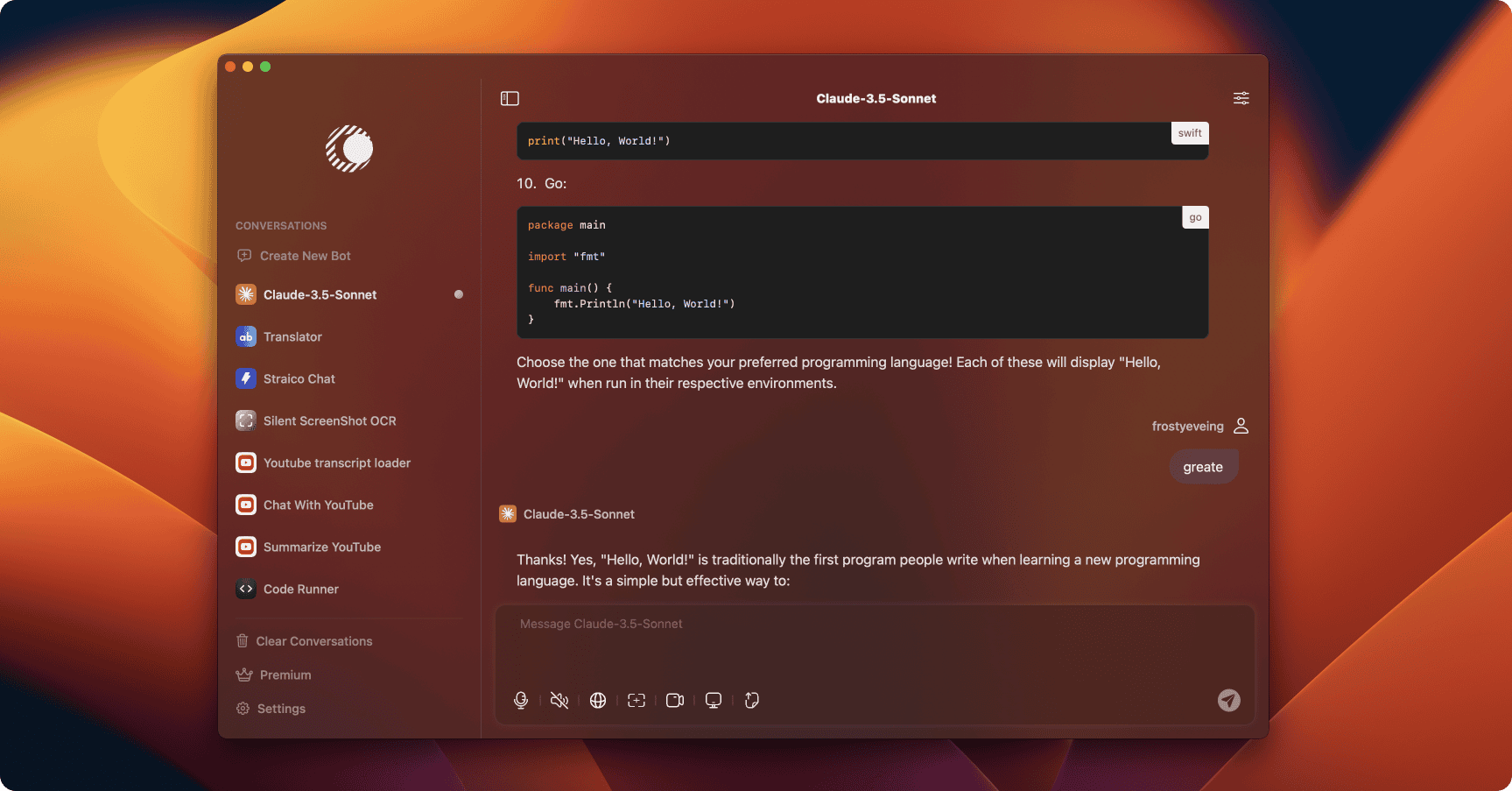
- New UI design for improved aesthetics
- Performance optimization with reduced CPU usage
- Expanded functionality: Voice Input, Screenshot, Web Search, Live Screen, Live Camera, File Attachment, and Realtime Call
YouTube Plugin Integration
- Chat With YouTube, Summarize YouTube, YouTube Transcript Loader, YouTube Context Awareness
Code Runner Plugin
- Run shell, Node.js, Python, and AppleScript code
Straico Integration
- Straico LLM Provider, Image Generate Provider, and Plugin (Chat, RAG, Agent)
Google Gemini Update
gemini-2.0-flash-exp,gemini-2.0-flash-thinking-exp-1219,gemini-exp-1206
X.AI-GROK Update
grok-2-vision-1212,grok-2-1212
New Setting Option
- Added “Context Message Count Limit” setting
2.0.2 (2024-12-12)
Performance Improvements
- Voice Input Efficiency: CPU usage reduced from 40% to 5%
- SmartBar Optimization: CPU usage reduced from 1.9% to 0.2%
- Live Screen Preview Enhancement: CPU usage reduced from 30% to 12%
New Features
- Ollama Embedding Integration: Chat with Document and Knowledge Base features now work completely offline
- Audio Input Selection: Voice Input Method now supports custom audio source selection
Improvements
- UI Enhancements: Fixed “Untitled” display issue, resolved text styling in SmartBar, fixed pinyin input display issue
- Voice and TTS Improvements: Fixed TTS speed settings, resolved incomplete voice recognition
Integrations
- Google TTS Support
2.0.1 (2024-11-27)
New Features
- Deeplink Support: Generate deeplink for command in SmartBar for quick access
- Markdown-to-Image Extension: Convert Markdown content into beautiful images
- EnConvo Companion Chrome Extension: Directly capture and access current browser content
- ChatGPT Website Integration: Quick access to ChatGPT directly from SmartBar
- Claude Website Integration: Launch Claude instantly from SmartBar
Improvements
- Context Awareness: Added ARC browser support
- Voice Input Method Enhancements: Stream Insert mode toggle, 2-second pause detection for automatic line breaks
- Other Improvements: Reduced default keyboard shortcuts, Slovak language support, new extension removal feature
Bug Fixes
- Fixed workflow selection issue during creation
- Resolved “Untitled” workflow display problem in PopBar
For older changelog entries, please visit our GitHub releases page.