

Overview
Hermes Agent is an open-source AI agent from Nous Research. It runs as a local or server-hosted agent runtime with tools, memory, skills, terminal access, and messaging integrations. In EnConvo, Hermes Agent is used through its OpenAI-compatible API server. After the Hermes gateway is running, EnConvo can use Hermes like any other AI model in chat, EnConvo agents, and model-powered features.What You Need
- Hermes Agent already installed and configured
- Hermes gateway running with the API server enabled
- The API server token from
API_SERVER_KEYin~/.hermes/.env - EnConvo with the Hermes Agent AI model provider enabled
/v1/models, /v1/chat/completions, and /v1/responses. EnConvo’s Hermes provider uses the Chat Completions API (/v1/chat/completions).
EnConvo does not use the Hermes Responses API for this provider. Configure Hermes as an OpenAI-compatible Chat Completions provider.
Automatic Setup in EnConvo
Open EnConvo Settings -> AI Model -> Hermes Agent. The setup card can start, stop, and configure the local Hermes API server for you. Use Auto Setup when Hermes is installed on the same Mac as EnConvo. EnConvo will:1
Find Hermes
Check that the
hermes CLI exists on this Mac.2
Enable the API server
Update
~/.hermes/.env with API_SERVER_ENABLED=true and an API_SERVER_KEY if one is missing.3
Start the gateway
Start the Hermes gateway service.
4
Verify the API
Probe the local API server with
/v1/health and /v1/models.5
Save credentials
Save the base URL and API server key into EnConvo’s Hermes credentials.
Get Base URL and API Key
Use this base URL when EnConvo runs on the same Mac as Hermes:~/.hermes/.env:
Configure Hermes in EnConvo
Open EnConvo Settings -> AI Model -> Hermes Agent, then configure the credential provider.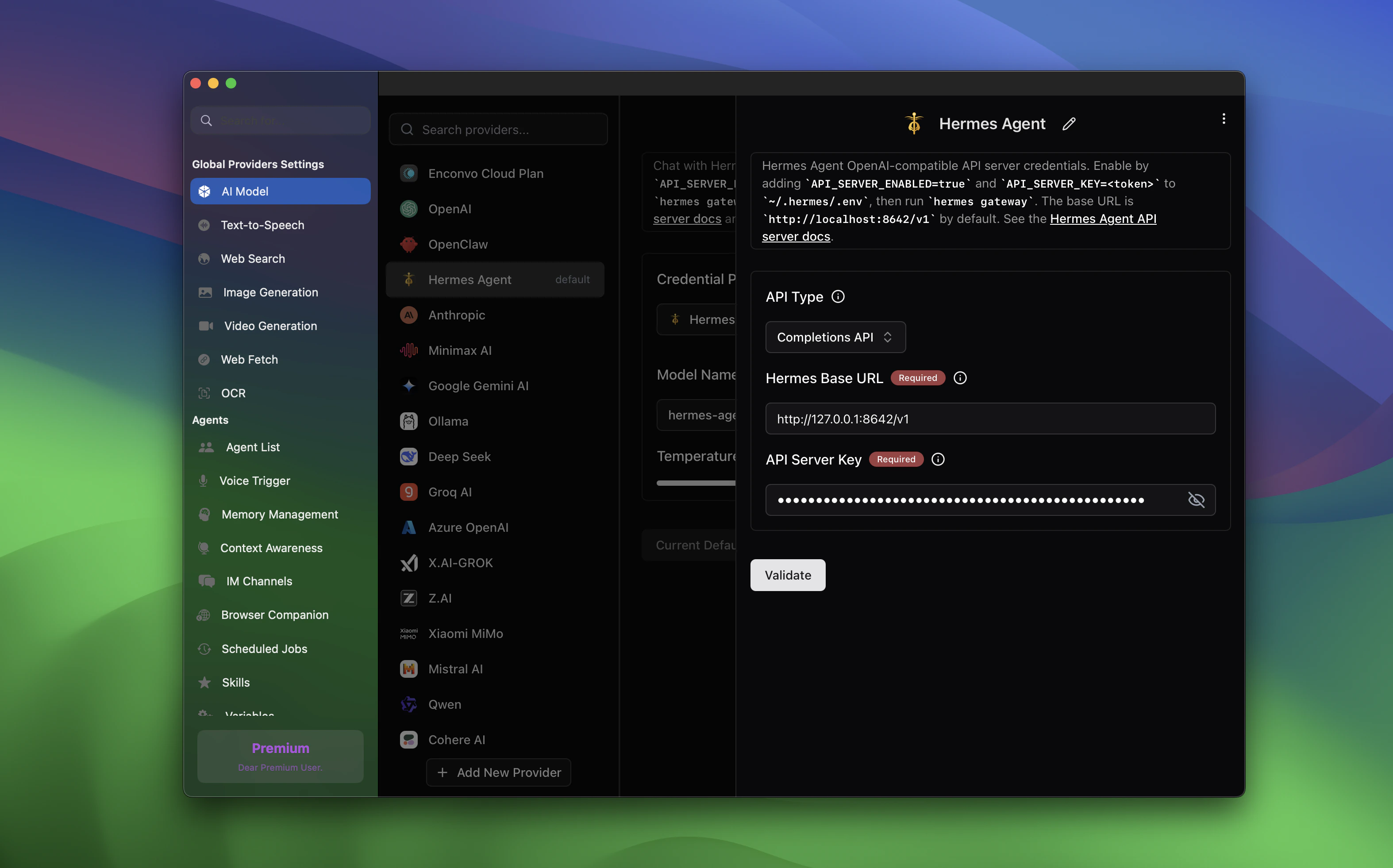
Click Validate after entering the base URL and token.
API Behavior and Attachments
EnConvo sends Hermes requests through OpenAI-compatible Chat Completions:hermes-agent or the model name advertised by the Hermes /v1/models endpoint.
Use Hermes as an AI Model
Once configured, Hermes appears in the model selector. Choose Hermes Agent and select the advertised model, usuallyhermes-agent.
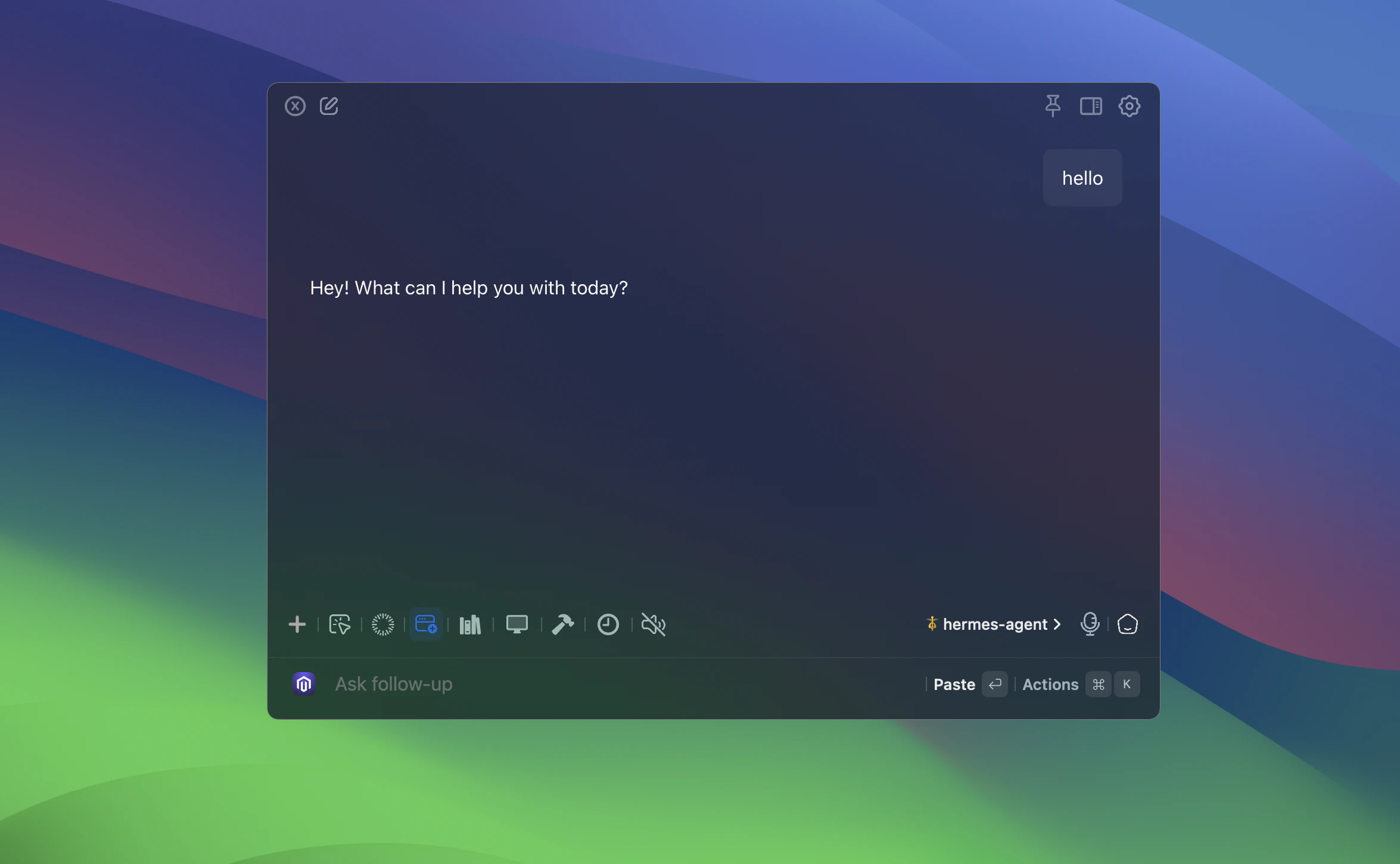
1
Open the model picker
In chat or another model-powered EnConvo feature, click the current model name.
2
Choose Hermes Agent
Select Hermes Agent in the provider list.
3
Select the Hermes model
Choose
hermes-agent or the model name advertised by your Hermes API server.4
Run the feature normally
Ask your question or run the EnConvo feature. Hermes handles the model call behind the scenes.
EnConvo loads Hermes models from the Hermes
/v1/models endpoint. If Hermes is not running or the endpoint is unavailable, EnConvo falls back to hermes-agent.Create an EnConvo Agent for Hermes
You can also create an EnConvo agent that coordinates Hermes Agent. This is useful when you want an EnConvo-facing workflow, tool set, or prompt around Hermes’ agent runtime.1
Open Create Agent
Open SmartBar and search for Create Agent.
2
Name the agent
Create a clear title, such as
Hermes Agent.3
Write coordinator instructions
Give the EnConvo agent instructions that explain how it should work with Hermes.
4
Choose the Hermes model
In the agent’s model settings, select Hermes Agent and choose
hermes-agent.5
Save and use the agent
Start a conversation with the new EnConvo agent. It will use Hermes while retaining the EnConvo agent interface and tools you configured.
LAN Access
If Hermes is running on another machine, use the host machine’s LAN IP in EnConvo:Troubleshooting
Hermes Agent does not appear in the model picker
Hermes Agent does not appear in the model picker
Make sure the Hermes provider is enabled in Settings -> AI Model. If the model list is empty, confirm the gateway is running with
hermes gateway status.Connection fails
Connection fails
Confirm the API server is healthy with
curl http://127.0.0.1:8642/v1/health. If EnConvo runs on another device, use the host’s LAN IP and make sure Hermes is bound for network access.Start succeeds but the status takes a moment to update
Start succeeds but the status takes a moment to update
Service managers can return before the API server is ready. Wait a few seconds and check the setup card’s runtime badge again, or run
hermes gateway status and test curl http://127.0.0.1:8642/v1/health.Image attachments are ignored
Image attachments are ignored
The Hermes provider in EnConvo is currently text-only. EnConvo will not send image attachments to Hermes; choose a vision-capable provider for direct image input.
Wrong base URL
Wrong base URL
Enter
http://<gateway-host>:8642/v1. Do not include /chat/completions in the EnConvo base URL field.Need gateway logs
Need gateway logs
Read Hermes gateway logs with
tail -f ~/.hermes/logs/gateway.log and errors with tail -f ~/.hermes/logs/gateway.error.log.