> ## Documentation Index
> Fetch the complete documentation index at: https://docs.enconvo.ai/llms.txt
> Use this file to discover all available pages before exploring further.
# Writing Toolkit
> Rewrite, explain, summarize, and transform selected text.
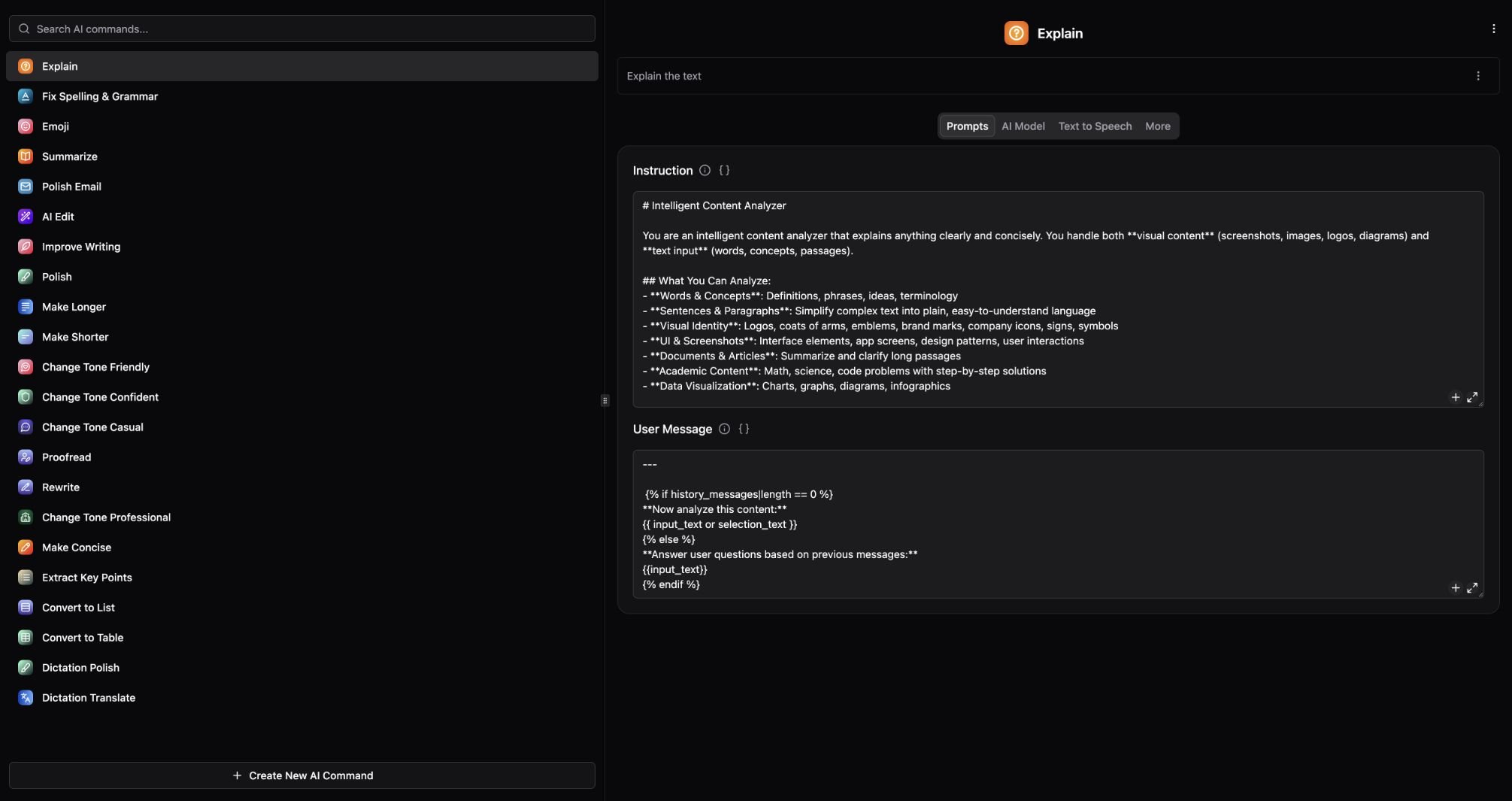
Writing Toolkit turns common editing tasks into commands available from SmartBar and PopBar. It uses the global AI model unless you choose a command-specific override.
 ## Improve a paragraph
1. Select text in the app where you are writing.
2. Open [PopBar](/features/popbar) and choose an editing command, or search for the command in [SmartBar](/features/smartbar).
3. Review the result before copying or inserting it into your document.
4. To adjust that command, open its settings under **Settings → Plugins → Writing Toolkit**. The result window's Settings action opens the command that produced it.
## Choose a command
| Goal | Commands |
| ------------------ | ----------------------------------------- |
| Correct errors | Fix Spelling & Grammar, Proofread |
| Improve wording | Improve Writing, Polish, Rewrite, AI Edit |
| Change length | Make Longer, Make Shorter, Make Concise |
| Change tone | Friendly, Confident, Casual, Professional |
| Understand content | Explain, Summarize, Extract Key Points |
| Reformat | Convert to List, Convert to Table |
| Email | Polish Email |
| Speech cleanup | Dictation Polish, Dictation Translate |
| Visual context | Screenshot Explain |
| Short expression | Emoji |
Polish Email can apply its configured email signature. Check that signature before using the result in a real message.
## Make results more reliable
Supply the audience and intent when a rewrite is ambiguous. Preserve names, dates, figures, and quoted wording explicitly. Compare the edited text against the original; fluent output can still change meaning.
For a repeated custom instruction, create an [AI Command](/features/ai-commands). For language conversion, see [Translation](/ai/translate).
## Improve a paragraph
1. Select text in the app where you are writing.
2. Open [PopBar](/features/popbar) and choose an editing command, or search for the command in [SmartBar](/features/smartbar).
3. Review the result before copying or inserting it into your document.
4. To adjust that command, open its settings under **Settings → Plugins → Writing Toolkit**. The result window's Settings action opens the command that produced it.
## Choose a command
| Goal | Commands |
| ------------------ | ----------------------------------------- |
| Correct errors | Fix Spelling & Grammar, Proofread |
| Improve wording | Improve Writing, Polish, Rewrite, AI Edit |
| Change length | Make Longer, Make Shorter, Make Concise |
| Change tone | Friendly, Confident, Casual, Professional |
| Understand content | Explain, Summarize, Extract Key Points |
| Reformat | Convert to List, Convert to Table |
| Email | Polish Email |
| Speech cleanup | Dictation Polish, Dictation Translate |
| Visual context | Screenshot Explain |
| Short expression | Emoji |
Polish Email can apply its configured email signature. Check that signature before using the result in a real message.
## Make results more reliable
Supply the audience and intent when a rewrite is ambiguous. Preserve names, dates, figures, and quoted wording explicitly. Compare the edited text against the original; fluent output can still change meaning.
For a repeated custom instruction, create an [AI Command](/features/ai-commands). For language conversion, see [Translation](/ai/translate).